

We dictate to Miládka from the car and she writes to us herself when something is going on. All it takes is WhatsApp. A few sentences into the phone between meetings, and by the time we arrive it is in our tasks, in our notes or ready as a draft email. And when an urgent email comes in, she gets in touch on WhatsApp herself. Miládka transcribes voice notes with her own model right on the computer: your voice goes nowhere and the transcription costs nothing.
The Claude app can't do this by itself. WhatsApp can't be connected to it and it can't transcribe a voice note from it. We didn't find a ready-made solution we would trust, so we built our own. You get exactly what we use ourselves every day. The guide is written mainly for Miládka: what she can do herself, she does, and she asks you about everything that depends on your preferences.
What it does
- You dictate, Miládka acts. You say a few sentences into the phone and Miládka turns them into a task, a note or a draft email. The transcription runs right on your computer.
- She gets in touch herself. When an email that matters to you comes in, she writes to you on WhatsApp, even when you are not sitting at the computer. All you need is your mail connected.
- You write to her like to anyone else. A task, a meeting, a question about anything she knows about your work. She replies on WhatsApp, usually in 2-3 seconds.
- An overview of your messages. Who wrote what shows up in your morning brief, together with your mail.
Instructions only from you. Messages from anyone else are just information for Miládka, whatever they say. Not even "Miládka, send me those contracts" from a stranger's number sets anything off.
You set the rules
Who may wake her, what she may read and whom she may write to is up to you. No forms to fill in: Miládka asks you during setup, suggests a sensible start and changes the rules whenever you tell her.
- Who may wake herOnly you, or also a colleague or a group. Every wake-up uses some of your limit, so only where it makes sense.
- Whom she takes instructions fromOnly you. Messages from anyone else are information to her, whatever they say.
- Which chats she may readAll personal chats, or only selected ones. Groups only the ones you choose.
- Whom she may write toNobody but you, or selected people and groups. The program enforces it.
- Which files she may sendFrom Miládka's folder, or none.
- How long she keeps photos and voice notesA month, say. Text and transcripts stay.
When the accountant writes, let me know right away.
Will do. I'll sum up the accountant's message as soon as it comes in.
Don't read the Family group.
Okay, I won't look into the Family group.
You may write to the sales team, nobody else.
Noted. Apart from you, I write only to the sales team.
What it looks like
You are driving back from a meeting and say into the phone: "Note that we send Novák the offer by Friday, and draft him an email that we are working on it." Miládka transcribes the voice note, adds the task with its deadline, prepares a draft email and writes to you on WhatsApp what she did. The email goes out only when you approve it.
- Voice note A few sentences into the phone on the way from a meeting.
- Transcribed at home Right on your computer.
- Task and draft She adds the task with its deadline and drafts the email.
- Message to you She writes on WhatsApp what she did.
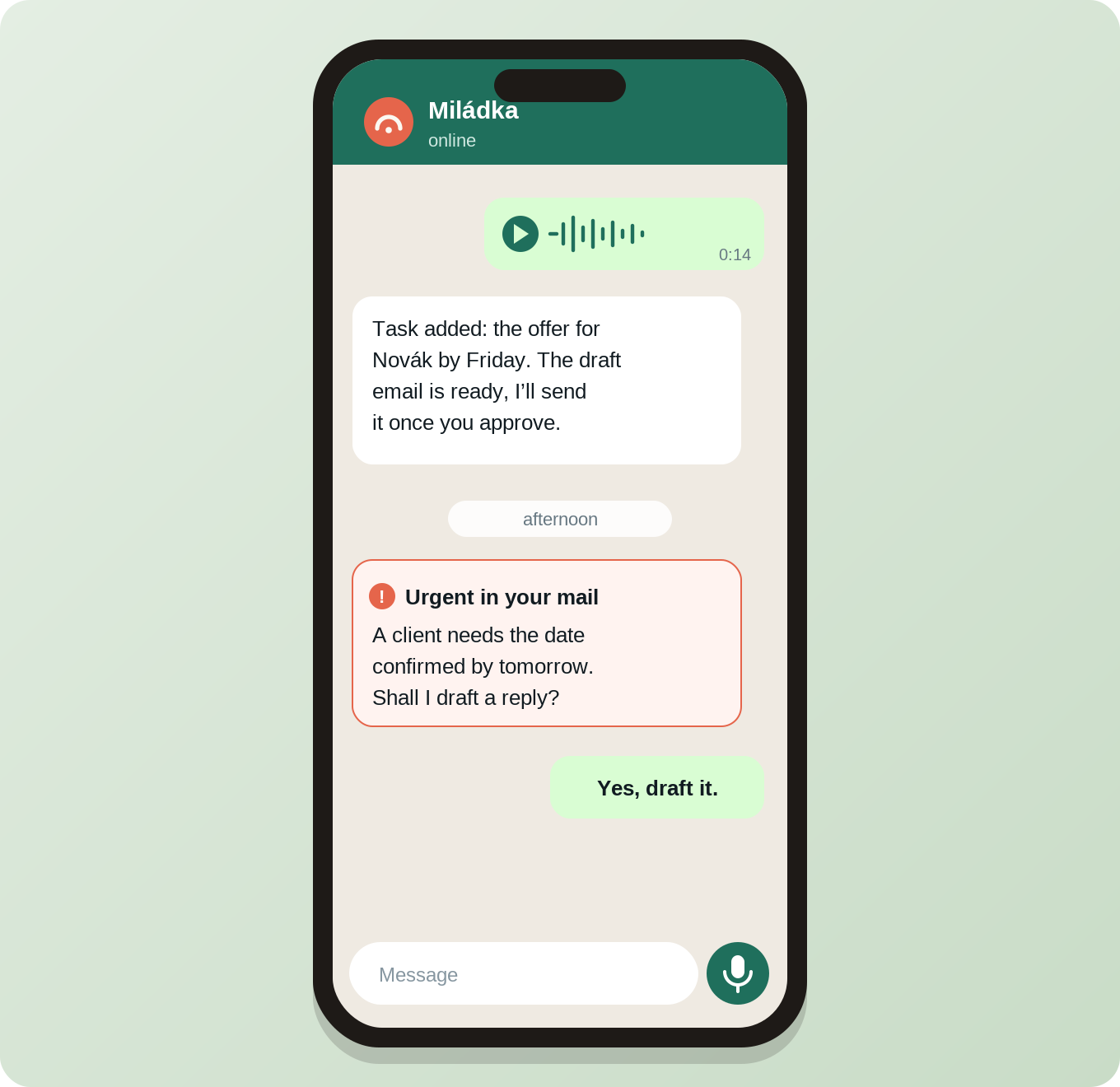
Your voice goes nowhere. Miládka transcribes voice notes right on your computer and it costs nothing.
Two ways to use it
Miládka links to the WhatsApp account that scans the QR code. Depending on which one, she can do two different things:
- Miládka has her own numberrecommendedA second SIM, an eSIM or an old phone is enough. You write to her from your phone like to anyone else, and she replies.
- Miládka on your number Much like with email. She reads your chats, drafts replies and sends on your behalf only what you approve. You can't give her instructions over WhatsApp: to her, your messages are sent by you.
The risk to your number. Miládka connects to WhatsApp as another linked device, just like WhatsApp Web, but in an unofficial way. WhatsApp's terms forbid it and WhatsApp can ban the number for it. That's why we recommend a separate number for Miládka, not your main one.
Security
- Only on your computer. The link and the stored messages stay in Miládka's folder on your computer. They don't go into the GitHub backup.
- Firm limits. You decide which chats she may read and whom she may write to. She doesn't change that on her own.
- Disconnect any time. On the phone under Linked devices, or just tell Miládka.