An assistant who knows what you discussed with whom
Miládka keeps your notes, people, tasks and email. In the morning she tells you what’s ahead, looks up the context behind your emails and prepares what’s needed. She runs on your computer and sends nothing without your consent.
- Runs on your computer
- Sends nothing without consent
- Updates herself
She doesn’t just tell you what the email says
For every email she first looks up what she already knows: what you discussed with the sender, what you promised and who the ball is with. Only then does she show it to you, with a draft reply in your tone.
Hello, how is the offer we talked about coming along? I need it by the end of the week.
- journal 30 SepFrom the meeting: he wants three options, budget up to 200k.
- tasksThe offer is two-thirds done, the shipping cost is missing.
- peopleNovák is formal and writes briefly.
Dear Mr Novák,
I’ll send you the offer with three options on Friday. Could you confirm the delivery address so I can price the shipping?
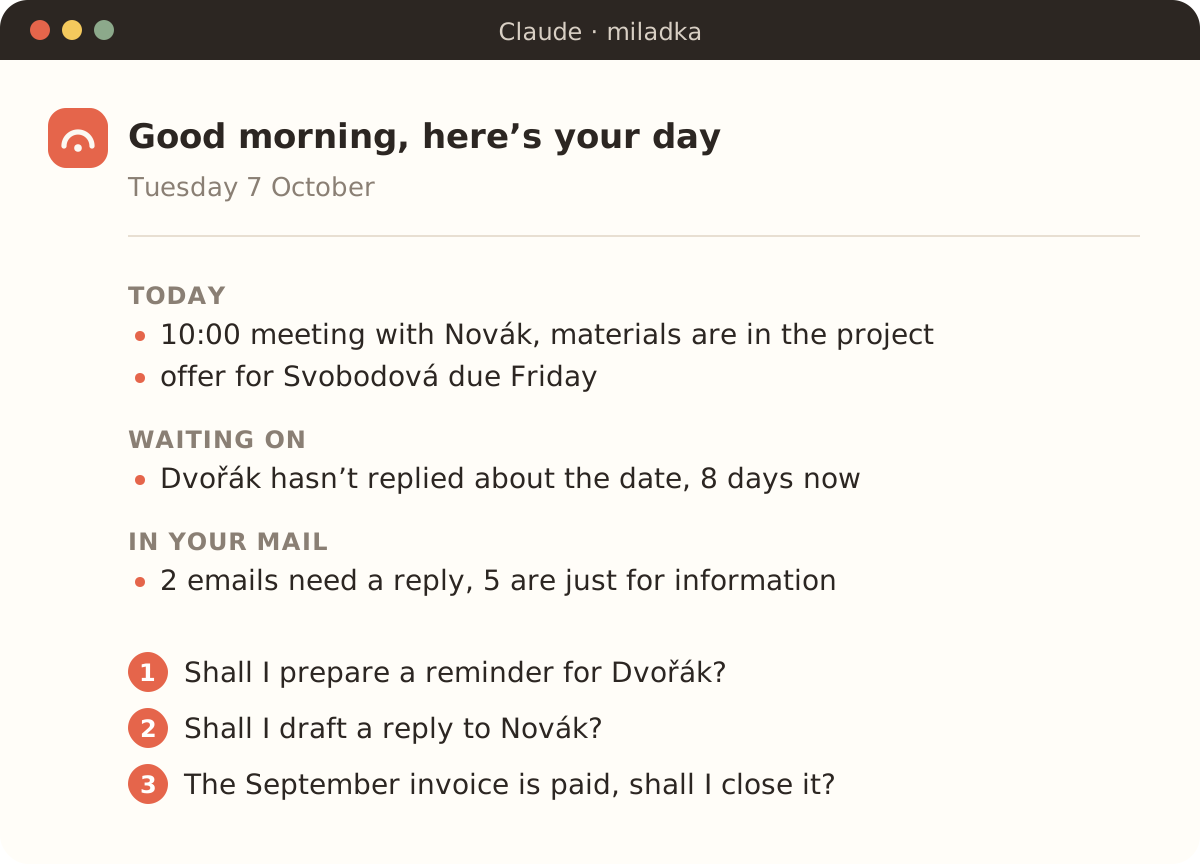
From the morning brief to the Friday summary
- 8:00Morning brief
What’s ahead today, who you’re waiting on and what came in the mail. Suggestions at the end, just reply “1 and 3 yes”.
- 9:30Email
Sorts new mail and prepares a draft in your tone for every reply.
- 11:00After a meeting
“Note that…” and it’s in the journal, with the person and in tasks with a deadline.
- 13:00Document
Reads a contract or offer, files it with the project and pulls out the deadlines.
- 15:00On the go
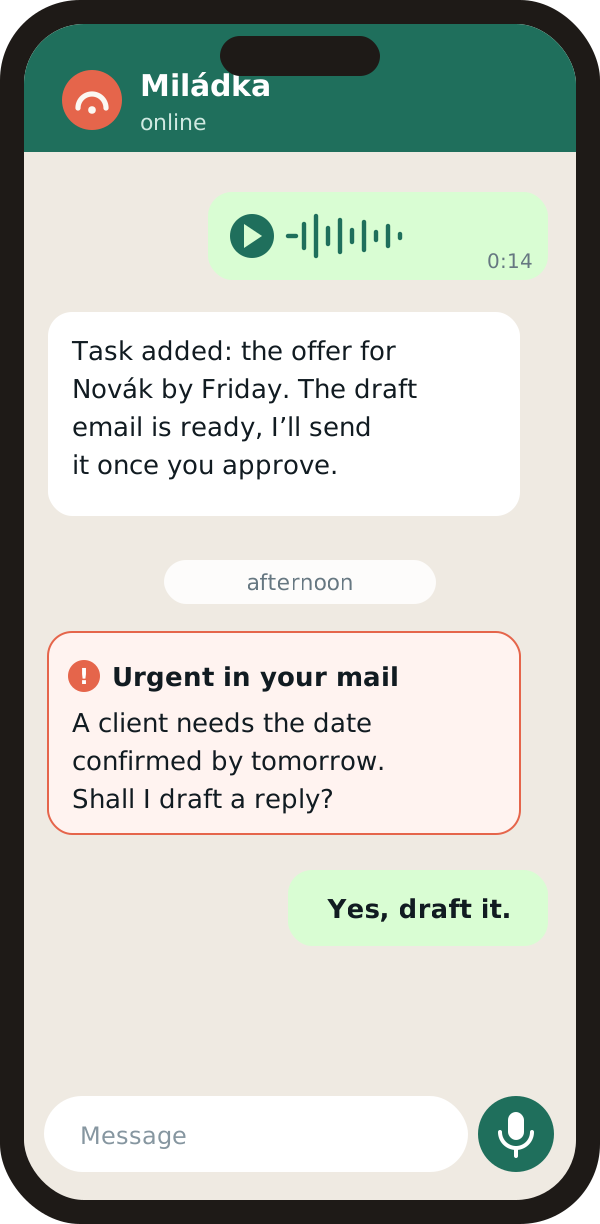
From your phone you write to her in the Claude app. With the WhatsApp addon you can dictate too.
- 16:30When it’s urgent
With the WhatsApp addon she messages you herself when something urgent lands in your mail. Otherwise she stays quiet.
- AnytimeMemory
“When did I last deal with Dvořák?” She answers and tells you where she knows it from.
- FridayRegularly
“Every Friday give me an email summary.” She schedules it and keeps track.
Karel’s Miládka after five months of daily work
When you want more
What the basic installation doesn’t have, addons add. Miládka installs them for you and they’re included in the price.
Work, personal and shared addresses in one Miládka. A small program without AI watches for new mail, so when nothing arrives, it takes nothing from your limit.
You dictate from the car, Miládka transcribes the voice note right on your computer and files it where it belongs. When something urgent lands in your mail, she messages you herself.








Your data, your rules
Miládka runs on your computer and your notes live in your folder. She sends nothing to our server.
She prepares emails as drafts. She sends only what you explicitly tell her to and deletes nothing without your instruction.
She installs new versions herself, only with your yes. We sign every one, so she won’t run a fake.
If you want, she backs up after every change to your private repository.
What you need and what she can’t do yet
- A Claude subscription, Pro or Max. Miládka runs on it and draws from its limit, but only while she’s working. When nothing is happening, she takes nothing. How Miládka saves your limit
- A Windows or Mac computer.
- About twenty minutes to install. Miládka guides you through it herself. How to install Miládka
- With Outlook (Microsoft 365) she only reads and sorts, she can’t prepare drafts there. Other email providers don’t work yet.
- It’s not a phone app. From your phone you talk to her through the Claude app or WhatsApp, and the computer has to be running.
- If your computer is asleep in the morning, the morning brief arrives with your first hello.